
- Central inbox and Case View
- Email, secure intake link and manual creation
- Extraction with source and confidence
- Gap detection and follow-up draft
- Status, priority, search, filters and owner
- Role-based review and approval
For professional booking teams
Turn booking requests into decision-ready cases.
ANOVRA Booking Pro keeps the original request, extracts the relevant details, flags what is missing and routes the case to the right person — ready for human review.
Request Intelligence prepares. Your team reviews, approves and decides.
- Keep the original
- See the gaps
- Assign the owner
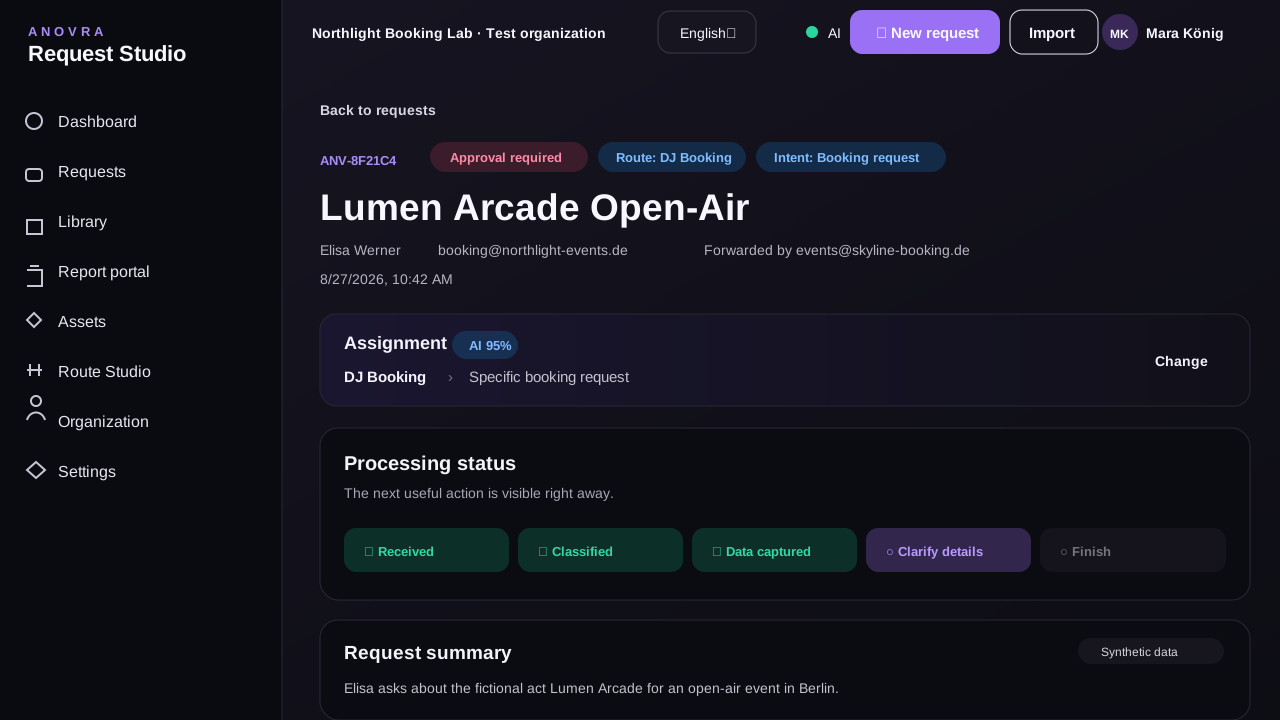
The problem in day-to-day booking
Countless emails. No clarity.
Booking requests arrive by email or web form, with important details scattered across replies. ANOVRA brings everything together, identifies what is missing and keeps the whole dialogue in one place.

One controlled request flow
ANOVRA processes requests and closes gaps through automatic follow-ups.
ANOVRA keeps the original, structures the request and only returns to dialogue when required details are missing. Once the case is complete, assignment and human review follow.

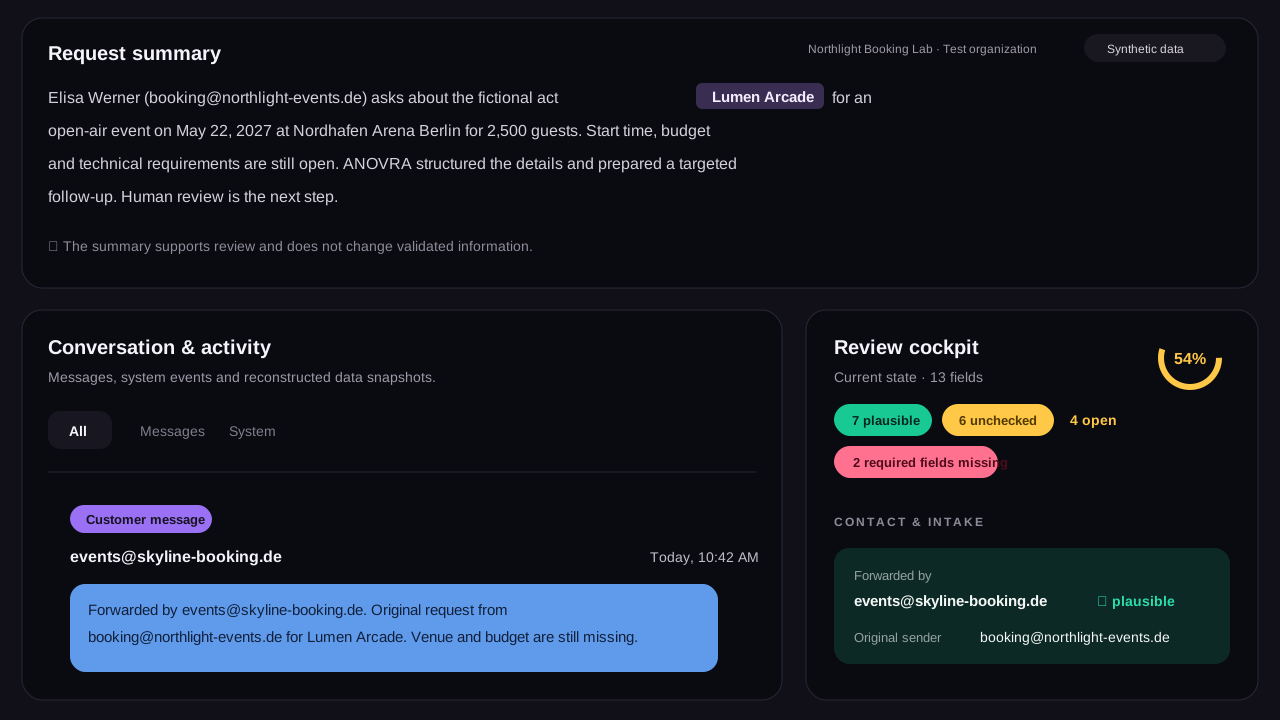
Request Studio
Review the original and the structured case side by side.
The message, extracted fields, missing information, ownership, prepared follow-up and activity remain in one reviewable case.
- Original message and attachments
- Source and confidence for each value
- Gaps, contradictions and ownership
- A prepared action — never an automatic send
Human review by design
Prepared by Request Intelligence. Controlled by your team.
ANOVRA summarises, classifies, extracts values, identifies gaps and prepares drafts. External messages, prices, acceptances and rejections remain under human control.

Current product scope
Focused on the work before the booking decision.
Built around real booking work
Bring the workflow you use today.
The private beta starts with your current categories, an anonymised Sheet and representative booking requests. Together, we test whether ANOVRA reflects the real work.
Talk to us about your workflowPrivate beta. Scope and access are agreed individually.
- 1Workflow conversation
Understand the current process and friction.
- 2Guided setup
Prepare categories, roles and routing.
- 3Real-case pilot
Review anonymised requests in daily work.
- 4Review and refine
Feed the findings back into product and process.
Quick answers
Questions about control and scope.
Does ANOVRA send messages automatically?
No. ANOVRA prepares information and drafts. External communication follows configured human review and approval.
Can ANOVRA accept, reject or price a booking?
Not autonomously. Commercial decisions remain with the Booking Authority or within explicitly delegated limits.
Which request sources does ANOVRA support?
Email forwarding, a secure intake link and manual creation.
How does ANOVRA work with existing spreadsheets?
Import and export preserve portability in the existing workflow.
What happens when extracted information is uncertain?
The source and confidence remain visible. A person can confirm, correct or reject the value before it becomes binding.
ANOVRA Booking Pro
Make every request ready for review.
Turn unstructured booking enquiries into transparent, assigned cases while your team controls every external and commercial decision.
Private beta · Human approval for external actions